Q: Do I really need the latest Wi-Fi standard?
A: Not always—match it to your internet speed, home size, and device mix.
Q: Why does my old laptop feel slower on a new router?
A: It may only support older standards and lower top speeds.
Q: Is wired Ethernet still useful?
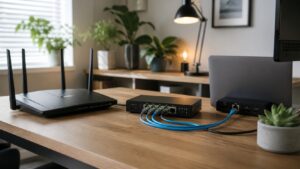
A: Yes, it’s great for gaming, TVs, and work PCs that need rock-solid stability.
Q: What’s the easiest upgrade for better Wi-Fi?
A: Move the router to a central, open spot and avoid hiding it in a cabinet.
Q: Do Wi-Fi standards affect battery life?
A: Newer standards can be more efficient, helping devices finish transfers faster.
Q: Should I split 2.4 GHz and 5 GHz into separate names?
A: Either way works—some people like control, others prefer automatic steering.
Q: Are public Wi-Fi networks safe?
A: Treat them as semi-trusted; avoid sensitive logins without extra protection.
Q: Will Wi-Fi 7 replace all older gear overnight?
A: No, standards overlap for years—most homes mix devices across generations.
Q: How often should I replace my router?
A: Roughly every 4–6 years, or when you’re clearly outgrowing its features.
Q: Where should I start on Telecommunication Streets?
A: Begin with Signal Basics, then dive into Bandwidth Bites and Hidden Frequencies.